
Download Live Interior 3D Free – Free Interior Design Software for Windows 10
Overview
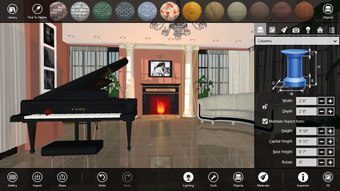
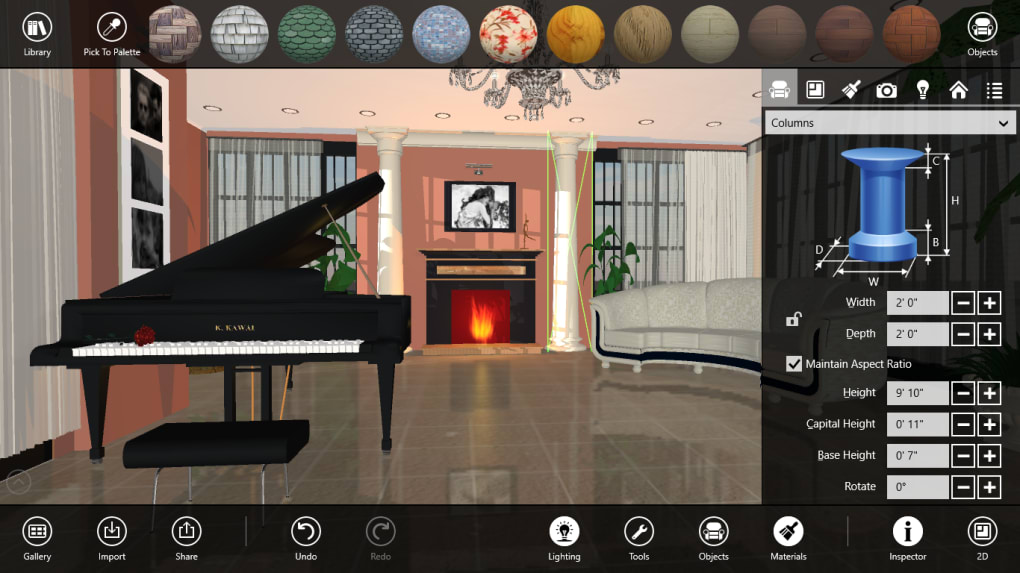
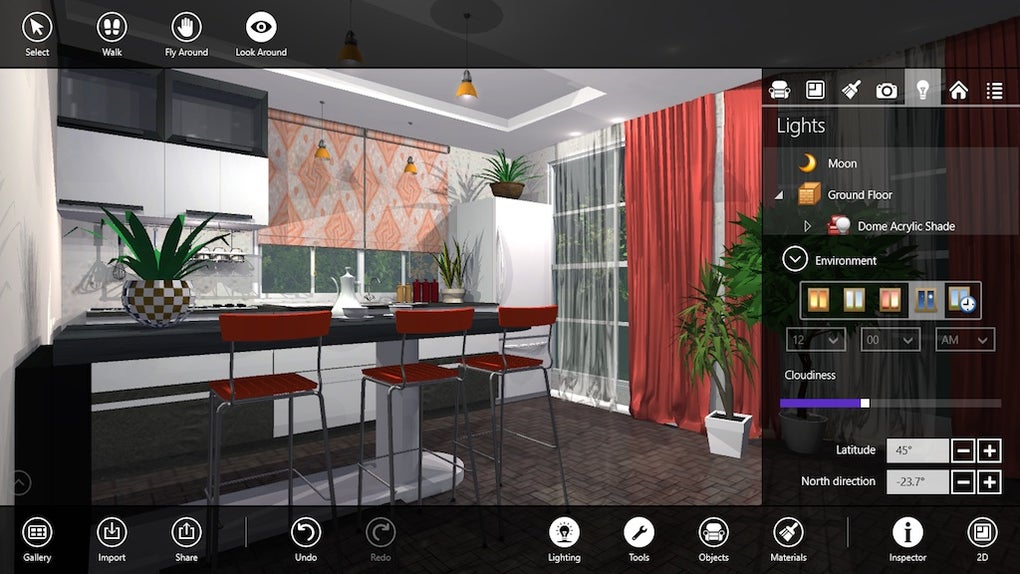
Live Interior 3D Free is a powerful, yet approachable interior‑design tool that runs on Windows 10. Built on the same engine that powers the professional Mac‑only Live Interior Pro, this free edition gives hobbyists, DIY‑enthusiasts, and budding designers the ability to visualize entire rooms without ever lifting a hammer. When you launch the application, you are greeted by a clean main window that lets you toggle between a 2‑D floor‑plan view and a fully rendered 3‑D perspective.
From there you can walk through your virtual home, capture panoramic screenshots, record video tours, and instantly share your creations on social media or via email. The program includes a built‑in Assistant that guides you through project set‑up, explains core tools, and suggests templates based on the type of space you want to remodel. While the free version trims back some of the high‑end capabilities found in the Pro suite—such as advanced floor‑plan generation and extensive export options—it still offers more than 1,200 furniture and fixture items, pre‑configured room layouts, and a library of textures and finishes.
Whether you are planning a simple bedroom refresh or a full‑house redesign, Live Interior 3D Free lets you experiment with color schemes, furniture placement, lighting, and architectural elements in a realistic, real‑time environment. The software is designed to save you time and money by letting you test ideas before you call a contractor, and its visual output is polished enough to impress friends, family, or potential clients. In short, Live Interior 3D Free brings the power of professional 3‑D interior rendering to anyone with a Windows 10 PC, without demanding a steep learning curve.
Key Features and How to Get Started
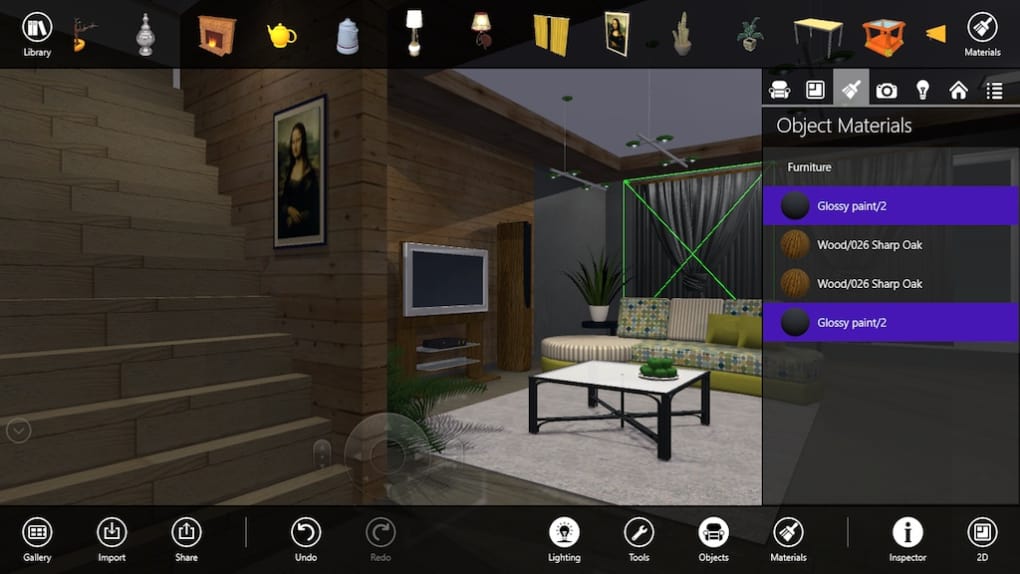
- Over 1,200 pre‑modeled household objects, including furniture, appliances, lighting, and décor.
- Dual‑view interface: switch instantly between 2‑D floor‑plan editing and photorealistic 3‑D visualization.
- Live Interior 3D Assistant that offers step‑by‑step tutorials and project templates.
- Realistic virtual walk‑throughs with adjustable camera speed and collision detection.
- One‑click screenshot, panoramic view, and video‑recording tools for easy sharing.
- Custom texture and material editor for walls, floors, and ceiling finishes.
- Basic export options to common image formats (JPG, PNG) and video (MP4).
- Free updates through the built‑in update manager, ensuring you stay current with bug fixes.
- Support for high‑resolution monitors and GPU acceleration for smoother rendering.
- Intuitive drag‑and‑drop layout system that works with both mouse and touchpad.
Installation & Usage Instructions
Getting Live Interior 3D Free up and running is straightforward. First, visit the official website and click the “Download Free for Windows 10” button. The installer is a standard .exe file (approximately 250 MB). After the download completes, double‑click the file and follow the on‑screen prompts: accept the license agreement, choose an installation folder (the default C:\Program Files\Live Interior 3D), and let the wizard copy the necessary files. The installer will also check for the latest DirectX and Visual C++ runtime libraries; if they are missing, it will offer to install them automatically.
Once installed, launch the program from the Start menu. The first launch triggers the Live Interior 3D Assistant. You can choose “Tutorial Mode” to watch short videos that demonstrate how to create a new project, import a template, and navigate the 3‑D view.
For a quicker start, select “Template Mode” and pick from a library of pre‑designed rooms (e.g., modern living room, classic bedroom, open‑plan kitchen). The template loads instantly, allowing you to replace furniture, change wall colors, and add new objects using the left‑hand toolbar. To switch between 2‑D and 3‑D, click the icons at the top of the workspace; the software keeps your changes synchronized across both views.
Saving your work is as simple as pressing Ctrl + S or using the “Save Project” button. Projects are stored with a .liv extension, which you can reopen later for further editing. For sharing, use the “Export Image” or “Export Video” commands under the File menu. The exported files are ready to upload to Instagram, Pinterest, or a client presentation without any additional conversion steps. Finally, keep the application up to date by clicking “Check for Updates” in the Help menu; the built‑in updater will download and install the latest patches securely.
System Compatibility and Performance
Live Interior 3D Free is optimized for Windows 10 (64‑bit) and requires a minimum of 4 GB RAM, a dual‑core processor (Intel i3 or equivalent), and a graphics card that supports OpenGL 3.2 or higher. For the best experience—especially when working with high‑resolution textures or large room layouts—Microsoft Surface Laptop 4, Dell XPS 15, or any recent gaming laptop with at least 8 GB RAM and a dedicated GPU (NVIDIA GTX 1050 or AMD Radeon RX 560) is recommended. The software runs in full‑screen or windowed mode and can leverage multiple CPU cores for faster rendering.
Users on older hardware may notice slower navigation in the 3‑D view, but the 2‑D editor remains responsive. The program also supports high‑DPI displays, automatically scaling UI elements for crisp visuals on 4K monitors. No additional plugins or external libraries are required beyond the standard Windows runtime, making the installation process clean and secure.
Pros and Cons
Pros
- Rich library of over 1,200 objects lets you create realistic interiors quickly.
- Dual 2‑D/3‑D workspace provides flexibility for both planning and visualization.
- Free version includes the helpful Live Interior 3D Assistant for beginners.
- Real‑time walk‑throughs and video export make sharing designs effortless.
- GPU acceleration ensures smooth navigation on modern hardware.
- Regular free updates keep the software secure and add minor feature enhancements.
- No watermark or trial limitations—fully functional without a paid license.
Cons
- Lacks advanced floor‑plan generation tools found in the Pro edition.
- Export formats are limited to images and MP4 video; no direct CAD or BIM export.
- Steeper learning curve for users unfamiliar with 3‑D modeling concepts.
- Performance may degrade on low‑end PCs without a dedicated graphics card.
- Some premium textures and high‑resolution models are locked behind the paid Pro version.
Frequently Asked Questions
Is Live Interior 3D Free really free or does it have hidden costs?
The free edition is completely free to download and use. There are no hidden subscription fees, trial expirations, or watermarks. All core features—including the object library, dual 2‑D/3‑D view, and export to image/video—are available without charge. Optional upgrades to the Pro version are offered separately, but they are not required to enjoy the free software.
Can I import my own 3‑D models or textures?
Yes, the free version supports importing custom OBJ and FBX models, as well as JPEG or PNG textures. Imported assets appear in the “Custom Library” tab, where you can drag them into your scene just like the built‑in objects. However, advanced material editing (such as PBR settings) is limited to the Pro edition.
What hardware specifications are recommended for smooth performance?
For optimal performance, a Windows 10 64‑bit PC with at least 8 GB RAM, a dual‑core processor (Intel i5 or AMD Ryzen 5), and a dedicated graphics card supporting OpenGL 3.2 (e.g., NVIDIA GTX 1050 or higher) is recommended. While the software will run on lower‑end systems, you may experience slower navigation and longer render times in complex scenes.
How does the Live Interior 3D Assistant help beginners?
The Assistant guides users through the initial project setup, explains the purpose of each toolbar icon, and offers interactive tutorials for common tasks such as adding furniture, changing wall colors, and creating walk‑throughs. It can also suggest suitable templates based on the type of room you want to design, making the learning curve much gentler for newcomers.
Can I share my designs directly to social media from the app?
Yes, after creating a screenshot, panoramic view, or video, you can use the “Share” button to open a dialog that links directly to popular platforms such as Instagram, Facebook, Pinterest, and Twitter. The exported files are automatically optimized for web sharing, so you don’t need any additional editing tools.
Conclusion – Should You Download Live Interior 3D Free?
If you’re looking for a robust, no‑cost interior‑design tool that lets you visualize rooms in true 3‑D, Live Interior 3D Free is a strong contender. Its extensive object library, realistic rendering engine, and helpful Assistant make it suitable for homeowners, renters, and DIY enthusiasts who want to experiment with layout, color, and décor before committing to a renovation. While power users may miss some of the high‑end capabilities of the Pro suite—such as advanced floor‑plan generation and extensive export formats—the free version delivers enough depth to create polished, share‑ready visualizations. The software runs smoothly on modern Windows 10 PCs, offers regular free updates, and imposes no hidden fees, which makes it a safe and secure choice. In short, download Live Interior 3D Free today, give your living space a virtual makeover, and save time and money on your next home project.







